Love what Screenpipe stands for.
Don't want to run a server for it.
Screenpipe's free tier means compiling from source and self-hosting. Their signed desktop app is a $25–50/month subscription. EvaMind is a flat $10/month, installs in one step, and captures your calls too.
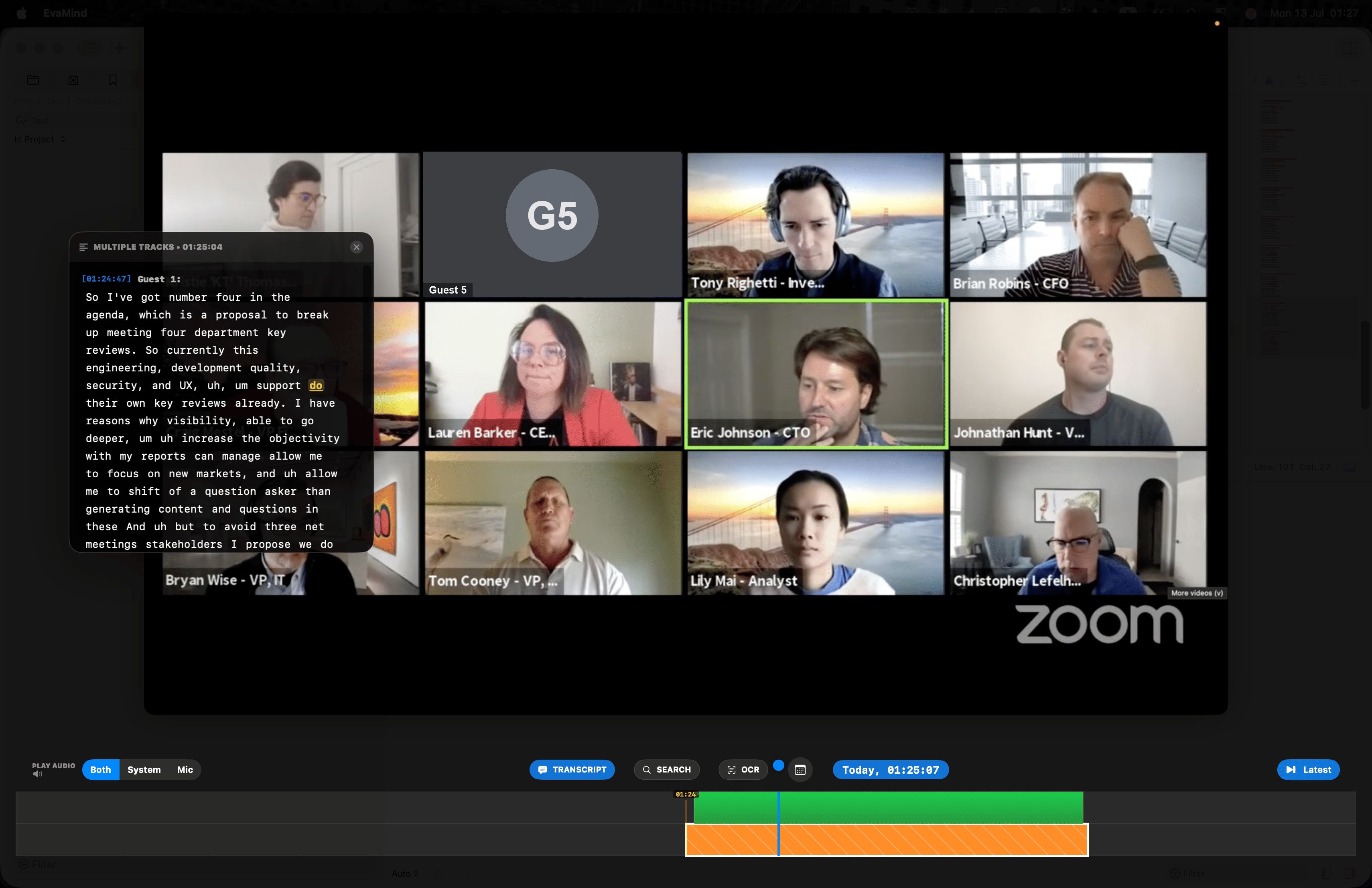
Scrub the timeline to rewind to any moment ever recorded on your screen — with the transcript synced right alongside it.
EvaMind vs Screenpipe
Screenpipe is a genuinely strong, local-first project — the difference is who it's built for.
| Feature | EvaMind | Screenpipe |
|---|---|---|
| Install | ✓ Download the app, done | Build from source, or pay for the signed app |
| Cost of the ready-to-run app | $10/month, 7-day free trial | $25/month (Standard) or $50/seat/month (Pro) |
| Free option | 7-day full trial, no card | Source code only, personal/non-commercial use, self-hosted |
| License model | Commercial app | Source-available (Screenpipe Commercial License), not MIT anymore |
| Local-first processing | ✓ | ✓ |
| Semantic search | ✓ | ✓ |
| Speaker identification | ✓ | ✓ |
| Platform | macOS | Mac, Windows, Linux |
| Built for | Everyday users who want it to just work | Developers building custom pipes and integrations |
Verified against Screenpipe's own comparison docs and their GitHub README in August 2026.
The same principles, none of the setup
No terminal required
No REST API to wire up, no pipes to write, no Ollama to configure. Download EvaMind and your history is searchable within minutes.
Mic + system audio, out of the box
Both audio sources are captured together by default — no plugin needed to make a Zoom call searchable.
Semantic search, ready by default
Search by meaning as well as keyword, with speakers identified in every transcript — no model wiring required.
Cheaper than the app you'd actually run
$10/month beats the $25–50/month signed desktop app most non-developers would end up paying for anyway.
Rewind and replay — transcript synced to the second
Drag the timeline back through anything you've watched or heard, with the transcript following right along.
Drag the timeline back to any second and the transcript jumps with it — instantly.
Common questions about Screenpipe
Is Screenpipe actually free?
Screenpipe's source code is free for personal, non-commercial use, but that means building and running it yourself. The signed, ready-to-run desktop app is a subscription starting around $25/month (Standard) or $50/seat/month (Pro). EvaMind is a flat $10/month with a 7-day free trial and nothing to build.
Do I need to be technical to use Screenpipe?
Screenpipe is built around a REST API, custom "pipes," and self-hosting — it targets developers who want to build on top of their screen data. EvaMind is a polished consumer app: download, install, and it works, no terminal or config files involved.
Is EvaMind as private as Screenpipe?
Both process and store recordings locally on your device by default. EvaMind additionally captures microphone and system audio together out of the box, without needing to configure a local LLM like Ollama to keep processing offline.
Get the local-first principles without the setup
Screen and audio, searchable, on your Mac. Start your free trial today.
Get EvaMind for Mac