LUCI feeds your screen to AI agents.
EvaMind keeps it to yourself.
LUCI Desktop records your screen so Claude Code, Cursor, and other coding agents can use it as context. EvaMind records your screen and audio so you can search it yourself — nothing is handed to any agent.
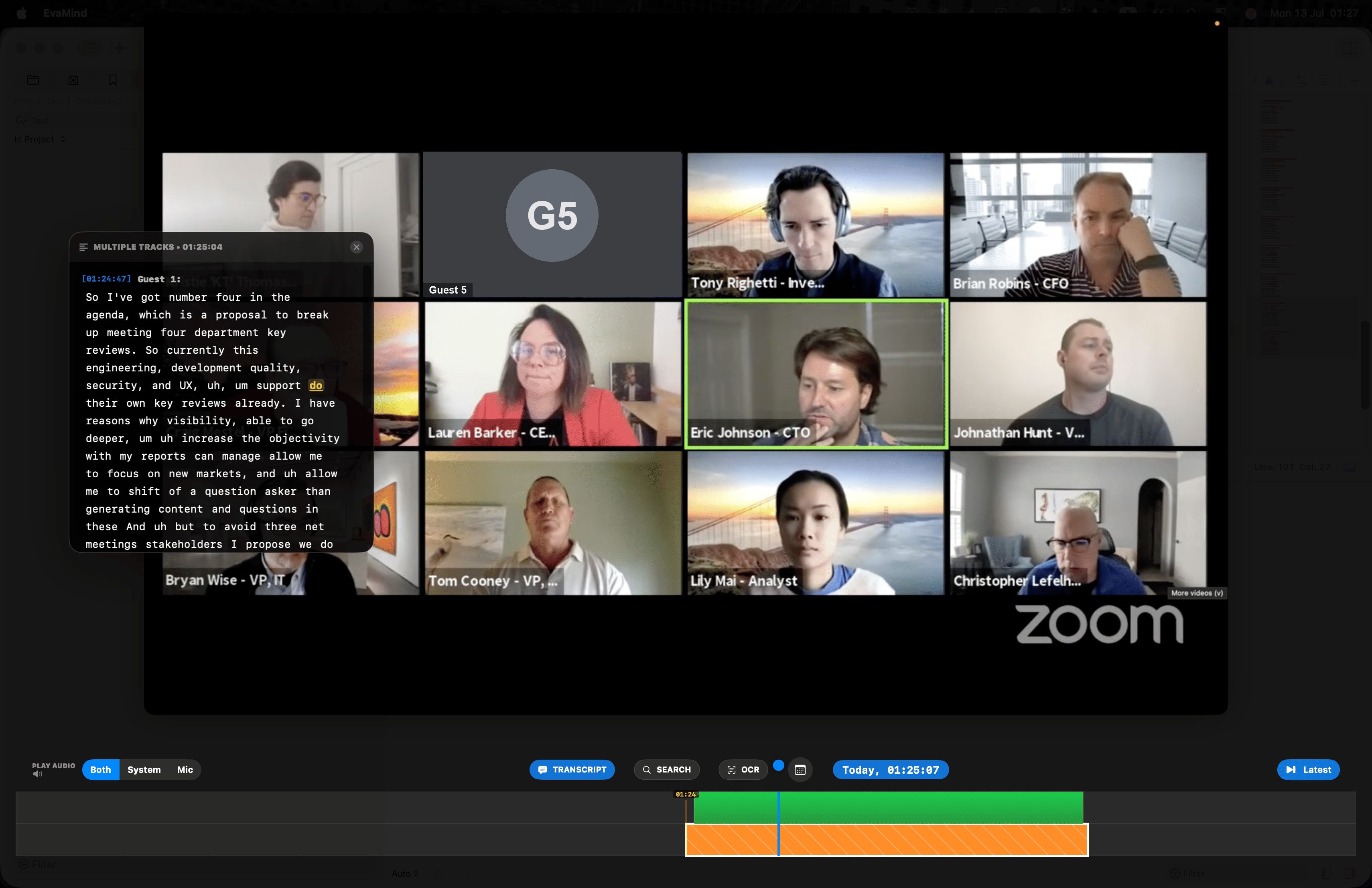
Scrub the timeline to rewind to any moment ever recorded on your screen — with the transcript synced right alongside it.
EvaMind vs LUCI Desktop
Based on luci.memories.ai's public pages. Both are local-first — the difference is what happens to your history after it's recorded.
| Feature | EvaMind | LUCI Desktop |
|---|---|---|
| Built for | Meetings, research, lectures — everyday recall | Feeding AI coding agents (Claude Code, Cursor, Codex, Gemini) |
| Shares your history with AI agents | ✓ Never, by default | By design, via MCP |
| Local-first storage | ✓ | ✓ (per their site) |
| Microphone + system audio | ✓ Both, one recording | Not clearly stated — screen-first |
| Price | $10 / month, 7-day free trial | Free |
| Platform | macOS | Mac + Windows |
Verified against luci.memories.ai in August 2026, where LUCI is described as "free and fully local," available for Mac and Windows, and built to serve your screen memory to AI agents over MCP.
Your history, for you — not for an agent
Nothing is served to an agent
EvaMind isn't built as a context pipe for Claude, Cursor, or any other AI tool. Your recordings exist so that you can search them — full stop.
Built for calls, not just code
Mic and system audio are captured together, so Zoom, Meet, and Teams calls become searchable transcripts — a use case most dev-focused tools skip.
Search what you saw and heard
One search bar covers everything on screen and everything said out loud — down to the second.
Simple, for everyone
No MCP servers, no agent config. Install it, and your history is searchable — built for people, not pipelines.
Rewind and replay — transcript synced to the second
Drag the timeline back through anything you've watched or heard, with the transcript following right along.
Drag the timeline back to any second and the transcript jumps with it — instantly.
Common questions about LUCI Desktop
What is LUCI Desktop (luci.memories.ai)?
LUCI is a free tool from Memories.ai that records your screen and turns it into memory that AI coding agents — Claude Code, Cursor, Codex, Gemini — can query over MCP. It's aimed primarily at developers who want their agents to have context from past work.
Does LUCI send my data to AI agents?
Yes — that is LUCI's core purpose. It stores your screen history locally, then serves it to whichever AI agent you connect it to via MCP. EvaMind never shares your recordings with any third-party agent by default; your history stays yours to search yourself.
Is EvaMind a good alternative to LUCI if I'm not a developer?
Yes. LUCI is built around feeding coding agents with context. EvaMind is built for general recall — meetings, calls, research, and lectures — with full microphone and system audio capture, which LUCI does not clearly offer.
Is LUCI free and is EvaMind free?
LUCI is free. EvaMind is $10/month after a 7-day free trial with no card required — the trade-off is a tool built for meetings and everyday recall rather than feeding data to AI agents.
Try the recall tool built for you, not your agents
Screen and audio, searchable, kept to yourself. Start your free trial today.
Get EvaMind for Mac