Granola remembers your meetings.
EvaMind remembers your day.
Granola is a great notetaker for calls on your calendar — but it only listens, and only during meetings. EvaMind continuously records your screen and audio, so research, reading, and the moments between meetings are searchable too.
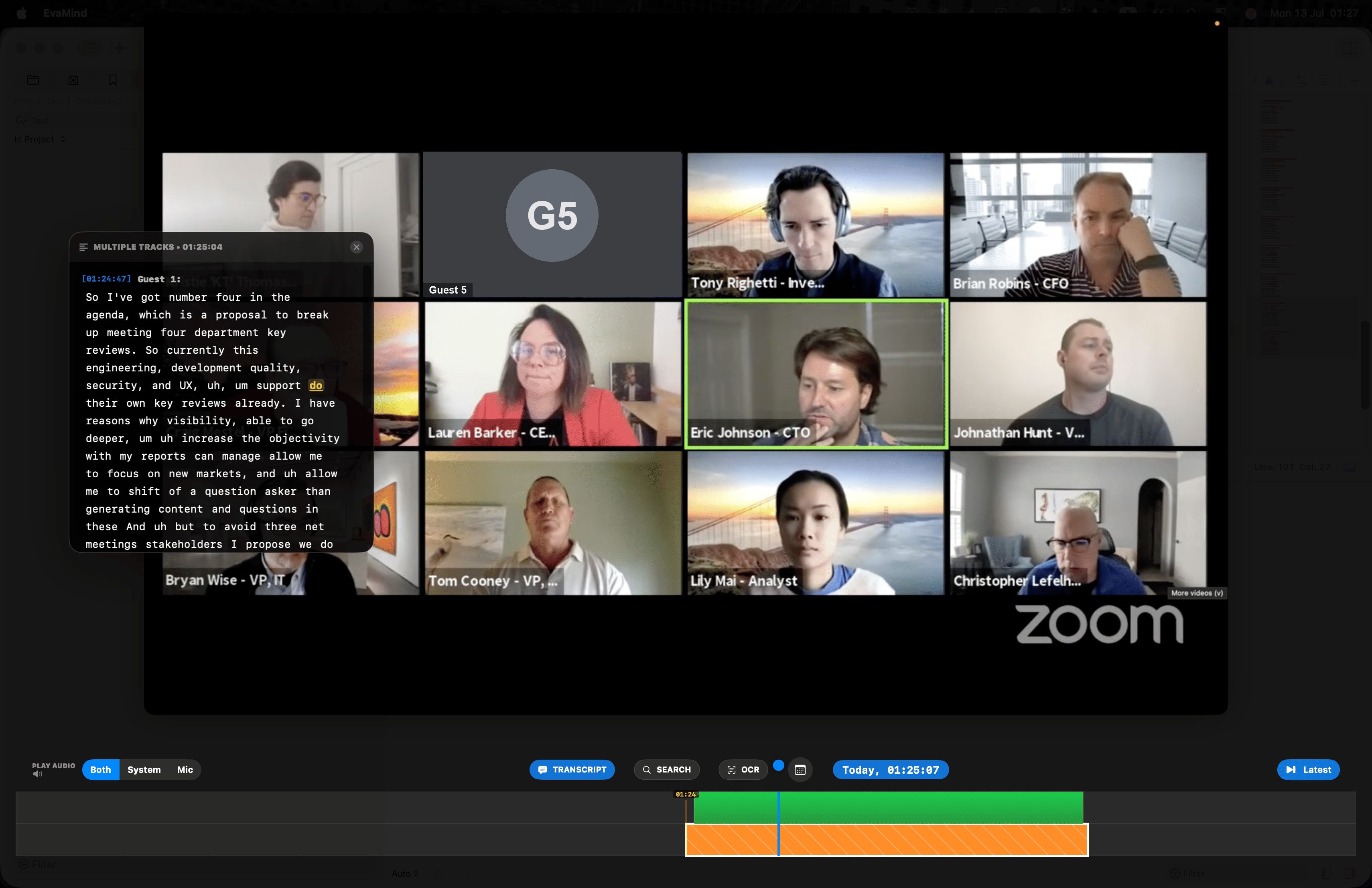
Scrub the timeline to rewind to any moment ever recorded on your screen — with the transcript synced right alongside it.
Granola is a meeting notetaker. EvaMind is a screen and audio recorder.
Worth being upfront about — they solve different problems, and some people want both.
| Feature | EvaMind | Granola |
|---|---|---|
| Records your screen | ✓ | No — audio only |
| Records continuously (not just meetings) | ✓ | Triggered by calendar meetings |
| Meeting audio capture | ✓ Mic + system, together | ✓ Computer audio |
| Structured AI notes / action items | Coming soon | ✓ |
| History retention | Limited only by your own disk space | 30 days on free tier; paid plans for more |
| Pricing | $10/month, 7-day free trial | Free / $14 per user/month / $35 per user/month |
| Platform | macOS | Mac, Windows, iOS, Android, Apple Watch |
Verified against granola.ai's public homepage and pricing page in August 2026. Granola's structured notes and action-item generation are more mature than EvaMind's in-development AI features — if that's what you need today, Granola is a fair pick.
Meetings are only part of the day
The lost tab, not just the lost meeting
Find the page, message, or doc you saw earlier — Granola has no record of it if it wasn't a scheduled call.
No calendar event required
Ad hoc calls, hallway conversations, or a meeting your calendar didn't catch — if it happened on your Mac, it's recorded.
History isn't capped by your plan
Granola's free tier limits how far back you can look. EvaMind's history is limited by your disk, not your subscription tier.
Search what you saw and heard
One search bar covers everything on screen and everything said out loud — not just what was on your calendar.
Rewind and replay — transcript synced to the second
Drag the timeline back through anything you've watched or heard, with the transcript following right along.
Drag the timeline back to any second and the transcript jumps with it — instantly.
Common questions about Granola
Is Granola a screen recorder like EvaMind?
No. Granola captures computer audio during calendar meetings and turns it into notes — it does not record your screen. EvaMind continuously records both your screen and audio, so it covers your whole day, not just scheduled calls.
Does EvaMind write meeting notes like Granola?
Not yet — EvaMind's AI chat and auto-summary features are in development. Today it gives you full transcripts and screen history you can search yourself. If structured meeting notes with action items are what you need right now, Granola does that well.
How long is meeting history kept in each app?
Granola's free tier limits how far back you can access your meeting history; older notes require a paid plan. EvaMind's local storage is capped by disk space you control, not by your subscription tier.
Cover more than just your meetings
Screen and audio, all day, searchable. Start your free trial today.
Get EvaMind for Mac